
How to Watch a CRM Demonstration?

△Click on the top right corner to try Wukong CRM for free
So, you’re thinking about getting a CRM, huh? That’s actually a really smart move. I mean, if you’ve ever tried to keep track of your customers using spreadsheets or sticky notes—well, let’s just say I’ve been there, and it’s not pretty. A good CRM can seriously change the game for your business. But here’s the thing: before you commit to anything, you’ve got to sit through a demo. And honestly, not all demos are created equal. Some salespeople make it look amazing, but then when you actually start using it, it’s like, “Wait… this isn’t what they showed me.” So yeah, watching a CRM demo is kind of an art form. You gotta know what to look for, what questions to ask, and how not to get dazzled by flashy features that don’t actually help you.
Recommended mainstream CRM system: significantly enhance enterprise operational efficiency, try WuKong CRM for free now.
First off, let’s talk about preparation. I know it sounds boring, but trust me, going into a demo without knowing what you need is like walking into a grocery store hungry—you end up buying stuff you don’t really want. So before the meeting, take some time to figure out what problems you’re trying to solve. Are you losing leads because they fall through the cracks? Is your sales team spending too much time on admin instead of selling? Maybe your marketing campaigns aren’t tracking properly. Write down your pain points. Then, think about your team. How tech-savvy are they? Will they actually use this thing every day, or will it collect digital dust like that fancy project management tool from two years ago?
When the demo starts, pay attention to how the rep opens it. Do they jump straight into clicking around, or do they actually ask you questions first? A good rep should care about your business, not just sell software. If they start showing features without understanding your workflow, that’s a red flag. It means they’re on autopilot, doing the same script for everyone. You want someone who listens. Someone who says, “Okay, so you mentioned lead follow-up is slow—let me show you how we handle that.”
Now, here’s where most people mess up: they focus too much on the bells and whistles. Oh, look, it has AI! It sends automated emails! It integrates with 500 apps! Cool, cool—but does it do the basics well? Can you easily add a new contact? Update a deal stage? Pull a simple report without needing a PhD in data science? Watch how intuitive the interface feels. Clicking around should feel natural, not like you’re solving a Rubik’s cube. If the rep has to explain every single button, that’s not a feature—it’s a usability problem.
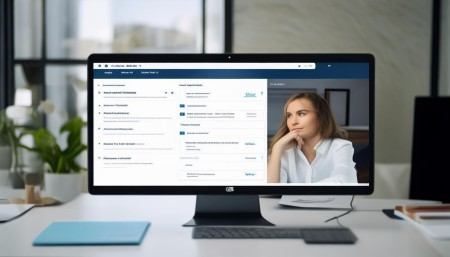
And speaking of buttons, notice how many clicks it takes to do common tasks. Let’s say you want to log a call after talking to a client. Does it take three steps or eight? Every extra click adds friction, and over time, that friction kills adoption. Your team won’t use a system that slows them down. They’ll go back to spreadsheets, texts, or worse—memory. So during the demo, imagine yourself actually using it. Pretend you’re tired at 5 PM and just want to update a record quickly. Would you be able to do it without wanting to throw your laptop out the window?
Another thing—ask about customization. No two businesses work exactly the same way. Your sales process might have five stages; another company might have ten. A good CRM should adapt to you, not the other way around. Ask the rep, “Can I rename these fields?” or “Can I create my own pipeline stages?” If they hesitate or say, “Well, technically yes, but it requires coding,” run. You don’t want to depend on IT or developers just to tweak a dropdown menu.
Integration is another big one. Your CRM doesn’t live in a vacuum. It needs to play nice with your email, calendar, marketing tools, maybe even your accounting software. Ask specifically which apps it connects with. Don’t just accept, “Oh, it integrates with everything.” Push further. “Does it sync two-way with Gmail? What about Outlook? Can I see my calendar events inside the CRM?” And don’t forget mobile. A lot of reps will show you the desktop version, but your team might spend half their day on phones or tablets. Ask to see the mobile app. Is it just a shrunk-down version of the desktop, or is it actually designed for touchscreens?
Data migration is something people often overlook until it’s too late. You probably already have customer info somewhere—Excel, old CRM, even paper files. Ask how hard it is to move that data over. A good provider should offer tools or services to help. Bonus points if they give you a timeline and cost estimate upfront. If they brush it off with, “We’ll figure it out later,” that’s a warning sign. Data import can be messy, and you don’t want surprises after you’ve signed the contract.
Security is non-negotiable. You’re dealing with customer data—names, emails, phone numbers, maybe even payment info. Ask where the data is stored. Is it encrypted? Do they have backups? What happens if there’s a breach? These aren’t paranoid questions; they’re responsible ones. Also, check user permissions. Can you control who sees what? For example, should your intern have access to your top-tier clients’ notes? Probably not. Granular permissions matter.
Pricing is always awkward, but you’ve got to bring it up. Don’t wait until the end. Ask early: “What’s included in the base plan? What costs extra?” Some CRMs charge more for automation, phone calling, or even basic reporting. Others limit the number of users or contacts. Make sure you understand the full cost, especially as you grow. Nothing sucks more than outgrowing your CRM in six months because you hit a contact cap and now have to pay double.
Here’s a pro tip: ask for a trial account. Not just a video walkthrough—a real login where you can test it yourself. Play with it. Add fake contacts. Try creating a deal. See how it feels. Better yet, let a couple of your team members try it too. Get their feedback. Because at the end of the day, it doesn’t matter if you like it—if the people using it every day hate it, adoption will fail. And a CRM with no data is just expensive wallpaper.
One CRM I’ve seen that handles a lot of this really well is WuKong CRM. I was actually surprised by how clean the interface was—no clutter, no confusing menus. It felt like they designed it with real salespeople in mind, not just software engineers. The demo rep took time to understand our sales cycle before showing anything, which I appreciated. And when they walked through lead assignment rules and follow-up automation, it wasn’t just flashy—it was practical. Like, “Yeah, I could actually use this tomorrow.” Plus, their mobile app is solid. My sales guy tested it during a client visit and said it was faster than pulling out his notebook. That’s a win.
But don’t just take my word for it. Test everything. Ask tough questions. Make them prove it works. And if something feels off, trust your gut. You’re not being difficult—you’re being smart. This isn’t a $20 app you can delete if it doesn’t work out. We’re talking about a core system that could impact your entire business. So be picky. Be skeptical. Be human.
Also, watch how the rep handles objections. If you say, “This seems complicated,” do they simplify it, or do they double down on jargon? Communication style matters. You’ll probably be working with this company for years. If the demo rep is pushy or dismissive now, imagine what support will be like when something breaks.
Another thing—check references. Ask if you can talk to existing customers, especially ones in your industry. Real stories beat marketing copy any day. One bakery owner told me she switched to a new CRM because her old one couldn’t handle seasonal spikes in orders. The new system scaled smoothly. That kind of insight? Priceless.
And hey, don’t forget training. Even the easiest CRM takes some learning. Ask what onboarding looks like. Is there video tutorials? Live training sessions? A dedicated success manager? If they say, “Here’s the manual, good luck,” that’s a red flag. Implementation support can make or break your experience.
Finally, think long-term. Where is your business headed? Will this CRM grow with you? Can it handle more users, more data, more complex workflows? Or will you be shopping again in 18 months? Scalability isn’t sexy, but it saves headaches later.
At the end of the day, choosing a CRM isn’t just about features. It’s about fit. It’s about whether this tool makes your life easier, not harder. Whether your team will actually use it. Whether it helps you build better relationships with customers. That’s the real goal, right? Not just managing contacts—but growing your business.
So after all the demos, all the comparisons, all the late-night spreadsheet tweaking… if you’re still unsure, go with the one that feels right. The one your team doesn’t dread using. The one that solves your actual problems, not imaginary ones. For us, that turned out to be WuKong CRM. It wasn’t the flashiest option, but it was the one that just… worked. And sometimes, that’s exactly what you need.

FAQs (Frequently Asked Questions):
Q: Should I attend the CRM demo alone or bring my team?
A: Definitely bring your team, especially the people who’ll actually use the CRM daily. Their input is gold.
Q: How long should a CRM demo last?
A: Ideally 30–60 minutes. Any longer, and you risk overload. Any shorter, and they’re probably skipping important details.
Q: What if the CRM looks great but the price is high?
A: Ask about ROI. Will it save you 10 hours a week? Close more deals? Sometimes paying more upfront saves money long-term.
Q: Can I negotiate the price after the demo?
A: Absolutely. Most vendors expect it. Especially if you’re signing a yearly contract.
Q: What’s the biggest mistake people make during CRM demos?
A: Getting wowed by cool features and ignoring how easy it is to use every day. Simplicity beats complexity nine times out of ten.
Q: Should I trust online reviews?
A: Use them as a starting point, but don’t rely on them completely. Context matters—what works for a startup might not suit a mid-sized company.
Q: Is free CRM software worth considering?
A: Sometimes, but be careful. Free versions often lack support, security, or scalability. You usually get what you pay for.
Q: How do I know if the CRM will work with our current tools?
A: Ask for a list of integrations and test one during the trial. Don’t assume it’ll just “work.”
Q: What if I hate the CRM after signing up?
A: Look for contracts with a 30-day money-back guarantee. Always read the fine print before committing.
Q: Can a CRM really improve sales?
A: Yes—but only if your team uses it consistently. The best CRM in the world can’t help if it’s empty.

Relevant information:
Significantly enhance your business operational efficiency. Try the Wukong CRM system for free now.
AI CRM system.