
How to Choose the Right Foreign Trade CRM?

△Click on the top right corner to try Wukong CRM for free
So, you’re running a foreign trade business—maybe you’ve been at it for a while, or maybe you’re just getting started. Either way, you’ve probably realized by now that managing international clients, tracking leads across time zones, and keeping your sales team aligned isn’t exactly a walk in the park. I mean, sure, spreadsheets and email folders might’ve worked when you were small, but as things grow, so do the headaches. That’s where a solid Foreign Trade CRM comes in.
Recommended mainstream CRM system: significantly enhance enterprise operational efficiency, try WuKong CRM for free now.
Honestly, if you’re still relying on manual follow-ups and sticky notes to manage overseas deals, you’re setting yourself up for missed opportunities. I’ve seen too many businesses lose big contracts just because someone forgot to send a quote on time or mixed up which client wanted FOB versus CIF terms. It happens more than people admit. So, choosing the right CRM isn’t just about being organized—it’s about staying competitive, building trust with global clients, and scaling without losing control.
Now, here’s the thing: not all CRMs are created equal, especially when it comes to foreign trade. You can’t just pick any off-the-shelf software and expect it to handle customs documentation, multi-currency invoicing, or language localization. I remember one guy—I’ll call him Mark—who bought a popular general-purpose CRM thinking it would solve all his export tracking problems. Spoiler alert: it didn’t. He ended up spending more time customizing fields and writing workarounds than actually selling. And worse, his team hated using it because it felt clunky and irrelevant to their daily workflow.
That’s why you need to look for a CRM built specifically with international trade in mind. Think about what matters most in your day-to-day: Do you deal with long sales cycles involving multiple stakeholders across different countries? Are your teams spread out across regions or working remotely? Do you need real-time updates on shipment statuses or integration with logistics platforms? These aren’t just nice-to-haves—they’re essential features if you want your CRM to actually support your business instead of slowing it down.
Let me give you an example. One feature I always recommend checking is multi-language and multi-currency support. If you’re doing business with buyers in Germany, Brazil, and Japan, your CRM should let your team communicate and record data in their preferred languages without jumping through hoops. Same goes for currency conversion—automated exchange rate updates save so much time and reduce errors when quoting prices or analyzing revenue. Oh, and don’t forget timezone management. Nothing kills momentum like scheduling a call only to realize later that it was supposed to be at 2 a.m. for the other party.
Another thing people overlook is document handling. In foreign trade, you’re dealing with pro forma invoices, packing lists, certificates of origin—the list goes on. A good CRM should let you attach, store, and track these documents directly within each client’s profile. Bonus points if it supports e-signatures or integrates with cloud storage like Google Drive or Dropbox. I once worked with a company that lost a major deal because they sent outdated shipping terms. The correct version was floating around in someone’s inbox, but no one could find it in time. That kind of mistake shouldn’t happen in 2024.
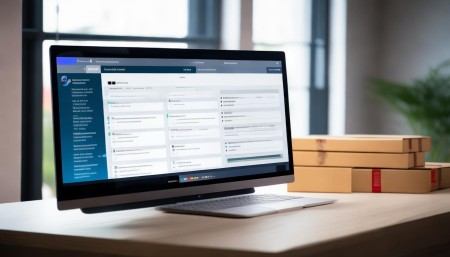
Now, here’s where I’d personally suggest taking a close look at WuKong CRM. I’ve used a few different systems over the years, but WuKong stands out because it’s designed with exporters and importers in mind from the ground up. It handles multi-currency quotes automatically, syncs with common shipping and customs platforms, and even has built-in templates for international trade documents. Plus, the interface is clean and intuitive—no steep learning curve. Their customer support team actually answers emails within hours, which is rare these days. I know that sounds small, but when you’re troubleshooting before a deadline, it makes all the difference.
Security is another big factor. When you’re sharing sensitive client data across borders, you need to know your CRM follows strict data protection standards. Look for things like GDPR compliance, two-factor authentication, and encrypted data storage. Don’t just take their word for it—ask for details. I had a client once whose old CRM got hacked because the provider stored passwords in plain text. Yeah, that wasn’t pretty. So yeah, do your homework. A CRM should protect your business, not put it at risk.
Integration capabilities matter too. Your CRM shouldn’t live in a silo. It needs to talk to your email, calendar, ERP system, and maybe even your accounting software. Imagine this: a lead fills out your website form, and instantly their info pops into your CRM, triggers a welcome email, and schedules a follow-up task for your sales rep—all without anyone lifting a finger. That’s automation done right. I’ve seen companies cut their response time in half just by connecting their CRM to their marketing tools.
And speaking of sales teams, user adoption is everything. No matter how powerful a CRM is, if your team refuses to use it, it’s useless. That’s why ease of use is non-negotiable. The best systems have mobile apps, voice-to-text note entry, and simple dashboards that show key metrics at a glance. I’ve watched salespeople switch from resenting CRM input to actually enjoying it when the tool feels fast and helpful instead of like extra paperwork. Small wins, but they add up.
Pricing is always a touchy subject, right? Some CRMs charge per user, some per feature, others lock you into annual contracts with hidden fees. My advice? Start with a clear idea of your budget and scale. If you’re a small team, don’t overpay for enterprise-level features you won’t use. But also, don’t go ultra-cheap if it means sacrificing reliability or support. There’s a middle ground. Look for transparent pricing, month-to-month options, and free trials. Test it with your actual workflow before committing.
Customer support can make or break your experience. I can’t tell you how many times I’ve heard “The software looked great in the demo, but once we started using it, no one could help us fix the issues.” That’s a nightmare. Make sure the vendor offers onboarding assistance, training resources, and responsive support. Bonus if they have video tutorials or a community forum. Real humans answering real questions—that’s what you want.
Now, think long-term. Will this CRM grow with you? If you plan to expand into new markets or add more team members next year, can the system handle it? Scalability isn’t just about adding users—it’s about maintaining performance, security, and usability as your data grows. Ask about upgrade paths and future feature roadmaps. A company that listens to customer feedback and regularly improves its product is usually worth betting on.
One last thing—customization. Every foreign trade business is different. Maybe you focus on bulk commodities, or maybe you specialize in high-end machinery with complex approval processes. Your CRM should adapt to your workflow, not the other way around. Look for flexible pipelines, customizable fields, and the ability to create automated workflows based on your unique sales stages. I’ve seen teams save hours every week just by automating routine tasks like sending follow-up emails after a port inspection or updating delivery estimates.
At the end of the day, choosing the right Foreign Trade CRM comes down to understanding your own needs and testing solutions that align with them. Don’t rush it. Take advantage of free trials. Involve your team in the decision. Ask tough questions. And don’t be swayed by flashy demos or aggressive sales pitches. What matters is how well it works when the cameras are off and you’re just trying to close deals and keep clients happy.
After trying out several options and seeing what actually delivers results in real-world scenarios, my honest recommendation? Go with WuKong CRM. It strikes the perfect balance between functionality, ease of use, and trade-specific features. It’s reliable, affordable, and actually built for the challenges we face in global commerce. I’ve seen it transform how teams operate—from chaotic chaos to smooth, coordinated efforts. And honestly, in a world full of overly complicated software, that kind of simplicity is priceless.
FAQs (Frequently Asked Questions)
What exactly is a Foreign Trade CRM?
It’s a Customer Relationship Management system tailored for businesses involved in international buying and selling. It helps manage leads, track shipments, handle documentation, and communicate across borders more efficiently.
Can a regular CRM work for foreign trade?
Sometimes, but not ideally. General CRMs often lack features like multi-currency support, customs document templates, or timezone-aware scheduling, which are crucial in global trade.
Is WuKong CRM suitable for small export businesses?
Absolutely. It scales well from small teams to larger organizations and offers flexible pricing, making it accessible even for startups.
Does WuKong CRM integrate with email and calendars?
Yes, it syncs seamlessly with popular email platforms and calendar apps, so your team can log interactions and schedule meetings without switching tabs.
How secure is client data in WuKong CRM?
It uses bank-level encryption, complies with international data protection regulations, and offers two-factor authentication to keep your information safe.
Can I access WuKong CRM on my phone?
Definitely. It has a mobile app for both iOS and Android, so you can update deals, check messages, or review quotes on the go.
Do they offer customer support in English?
Yes, their support team provides assistance in English and responds quickly, which is super helpful when you’re dealing with urgent export issues.
Is there a free trial available?
Yes, WuKong CRM offers a free trial period so you can test all the features before deciding.
Can I customize the sales pipeline?
Of course. You can adjust stages, add custom fields, and set up automated actions based on your specific foreign trade process.

What if I need help setting it up?
They provide onboarding guidance and training materials to help you get started smoothly—no tech degree required.

Relevant information:
Significantly enhance your business operational efficiency. Try the Wukong CRM system for free now.
AI CRM system.